If you’ve deployed a Cloudflare Page in the past few years, like I have, and hooked it up with for example a GitHub repository, you may not have noticed, that Cloudflare has been making changes to your configuration, and it may not be what you want.
tl;dr:To disable the access policy, enable the “Zero Trust Free” plan and delete the Cloudflare One application.
Fist up, make sure that your Preview Pages option is still enabled, because Cloudflare started to make this opt-in by default.
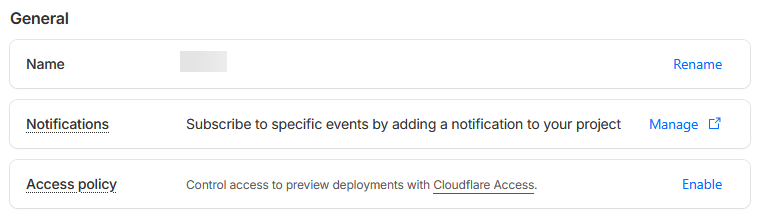
Second, if you access a preview page and get a login screen instead of the preview page, it’s because Cloudflare has added an access policy to all the preview pages, regardless of whether you wanted that or not.
You might think “okay, then lets disable it” and you navigate to the pages settings and click on the “Manage” button for the Access Policy, only to be greeted by a 404 page. Confusingly, you also end up in the Cloudflare One area, which for whatever reason is a whole separate dashboard with some sections duplicated, like the settings page.
If you have a closer look, you may notice that Cloudflare has created an application for your Cloudflare Pages hosting, with a Legacy Access Policy attached. But whenever you try to edit something, you’ll get asked to choose a Zero Trust plan.
Luckily Cloudflare offers a free tier for it, but for unknown reasons, they require you to add a payment method even if it costs nothing. They do support PayPal, in case you don’t want to enter your credit card details, but the PayPal option isn’t shown in the Cloudflare One area and is only accessible in the general Cloudflare account area.
Thus, once you’ve added the PayPal method in the normal account settings, selected the “Zero Trust Free” plan, you finally get to edit the Access Controls settings, including the application that was automatically created even without an active plan.
Now you can delete the application in the Cloudflare One area to completely remove the access policy or adjust the existing access policy to your needs.
Hopefully, this post can help some strangers, who got surprised by Cloudflare’s changes as I have been.